Stereo Photo Optimizer - SBS 3D Image Correction for the Leia Lume Pad 2
Stereo Photo Optimizer is a free Android app for quick and easy correction of stereoscopic side-by-side (SBS) images and stereo LIF files on the Leia Lume Pad 2.
Thanks to the lightfield display of the Lume Pad 2, you see every adjustment - convergence, alignment, colors, sharpness, and noise reduction - immediately in real 3D.
Download APKAndroid app for the Leia Lume Pad 2 · approx. 22 MB
Since the app is not available in the Leia App Store, the APK has to be installed manually ("Install unknown apps" must be allowed for the browser or file manager). An internet connection is required, as the app always loads the latest version online - this way, you automatically benefit from all updates.
Why this app?
The QooCam smartphone app is not optimized for tablets, has no 3D preview and requires dozens of clicks just to export a single image. The Acer SpatialLabs Eye camera doesn't come with any app for image correction at all, and the features of the LeiaPlayer app are quite limited. That's why I created Stereo Photo Optimizer - to make 3D photo correction fast and convenient, directly on the Lume Pad 2.
Features
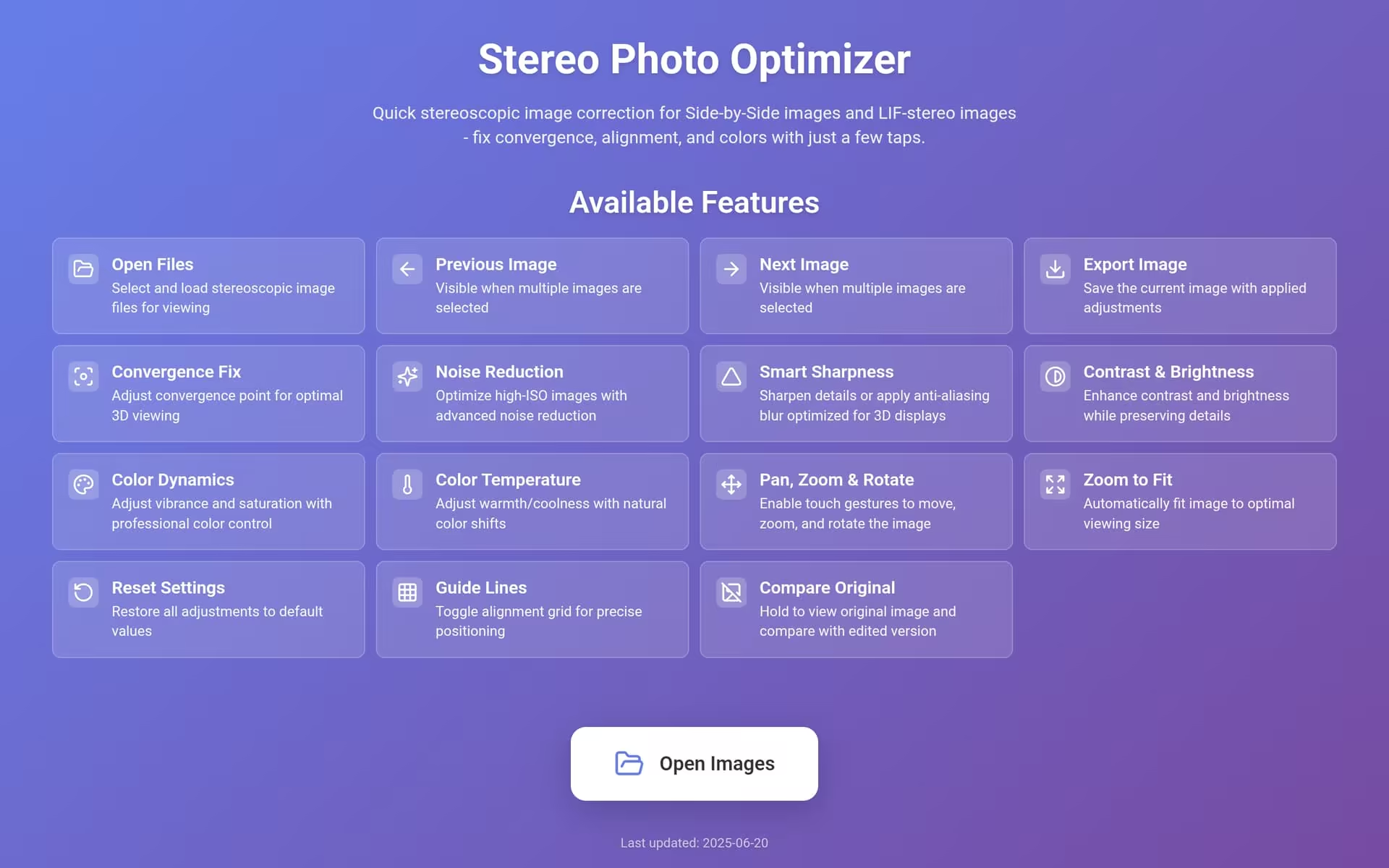
Open and view SBS 3D images and stereo LIF files (.lif, .jpg) - the convergence is automatically taken from the LIF metadata (images with depth map are not supported)
Navigate through multiple images (previous/next)
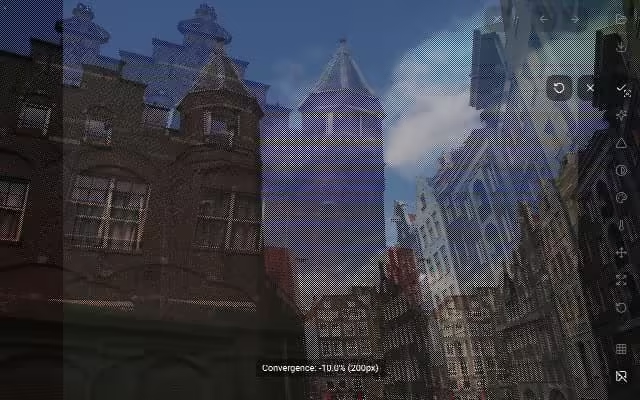
Adjust the convergence for comfortable 3D viewing by swiping left and right
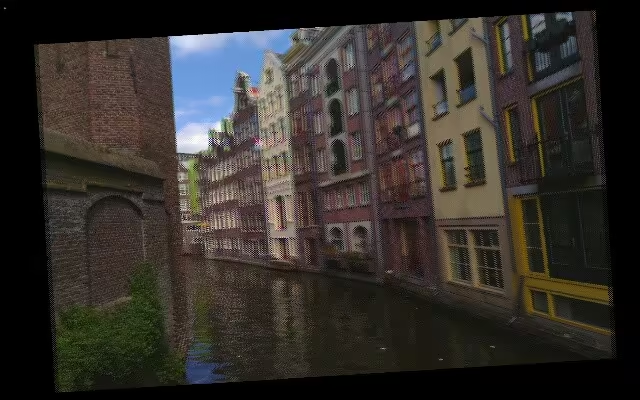
Pan, pinch-to-zoom, and rotate in a separate mode, which prevents accidental image movement
Zoom to fit images optimally on the screen
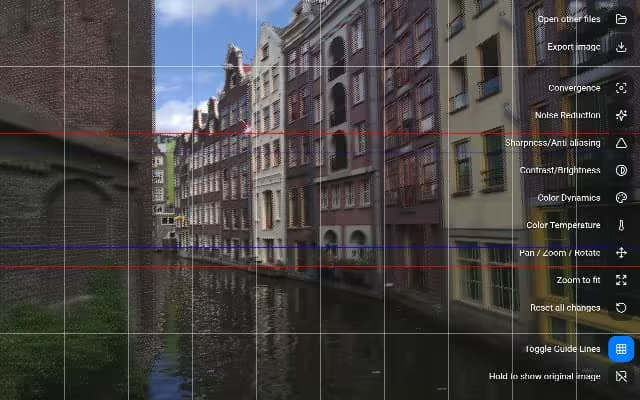
Toggleable vertical and horizontal guide lines for precise alignment
Contrast (swipe left/right) and brightness (swipe up/down)
Color dynamics with saturation and vibrance
Color temperature for warmer or cooler colors
Smart sharpness - sharpen details or apply an anti-aliasing blur optimized for 3D displays
Noise reduction that cleans up grainy high-ISO photos while preserving details
Vignetting effect
Compare with the original image by holding a button
Reset each setting individually or all adjustments at once
Export images with all adjustments applied - with "_2x1" filename suffix for LeiaPlayer compatibility
Support for large images (more than 4096 px width or height per eye)
Real-time processing with WebGL
Screenshots
Start screen with an overview of all features
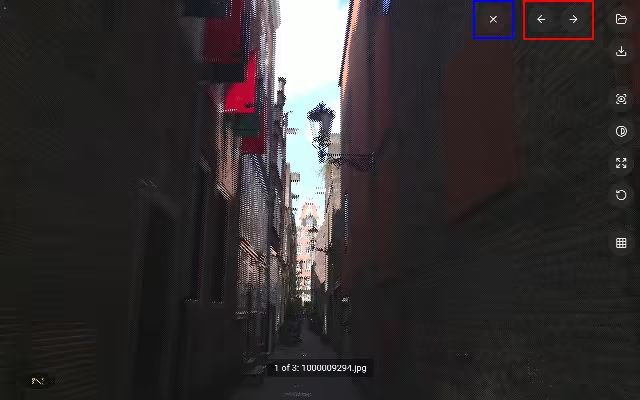
Button descriptions and activated guide linesConvergence correctionPan, zoom & rotationPrevious/next image (red) and closing the current file (blue)
Except for the start screen, the screenshots were taken in 3D mode on the Lume Pad 2, which is why the line pattern of the lightfield display is visible.
Tips
Switching between images: The previous/next buttons at the top right only appear if you have selected multiple images at once. When you're done editing a file, you can close it with the "X" button next to them.
Pinch-to-zoom: Activate the "Pan / Zoom / Rotate" mode in the image editing section of the sidebar.
Hiding the sidebar: In viewing mode, tap the image to hide or show the sidebar.
Getting the latest version: If an update doesn't show up, clear the app cache (long tap on the app icon → App info → Storage & cache → Clear cache). The date of the latest update is shown at the bottom of the start screen.
Version history
June 17, 2025
Code cleanups and smaller improvements
June 16, 2025
New: Color dynamics controls with saturation and vibrance
New: Noise reduction for grainy high-ISO photos that preserves important details and sharpness
New: Support for Leia Image Format stereo files (.lif, .jpg) with automatic convergence extraction from metadata (images with depth map are not supported)
Improved: Button descriptions in viewing mode
Improved: Support for large files (width or height larger than 4096 px per eye)
June 15, 2025
New: Smart sharpness control for fine-tuning image details
New: Color temperature control for warmer or cooler colors
New: Compare with the original image with one tap
New: The app now starts in viewing mode, where the sidebar can be hidden/shown by tapping
New: Pan/rotate is now a separate mode to prevent accidental image movement
New: Each image setting can be reset individually, in addition to resetting all parameters
Improved: More intuitive brightness and more natural contrast adjustments
Improved: Additional horizontal guide lines for precise alignment
Improved: Updated icons and UI elements for better legibility, and improved visual feedback
Improved: Real-time processing with WebGL and overall performance enhancements
Improved: Exported files now use the "_2x1" suffix instead of "_sbs" for better LeiaPlayer compatibility
June 13, 2025
First release with convergence, contrast, and brightness adjustment, zoom to fit, guide lines, navigation between multiple images, and export
Thanks
A big thank you to Simon Gellis - this app is based on his LeiaWebXR GitHub repository.
The app was originally introduced in June 2025 in the Leia forum, which has since been closed.
 Back to home page